Choose where to work
Available · coverage variesReview available storm and property records, then narrow the territory and prepare the next doors for your crew.
How it works
Plan the territory, document the visit and give your office a clearer handoff. We confirm the tools and services available for your team before activation.
Available tools, pilot workflows and review services have different setup requirements.
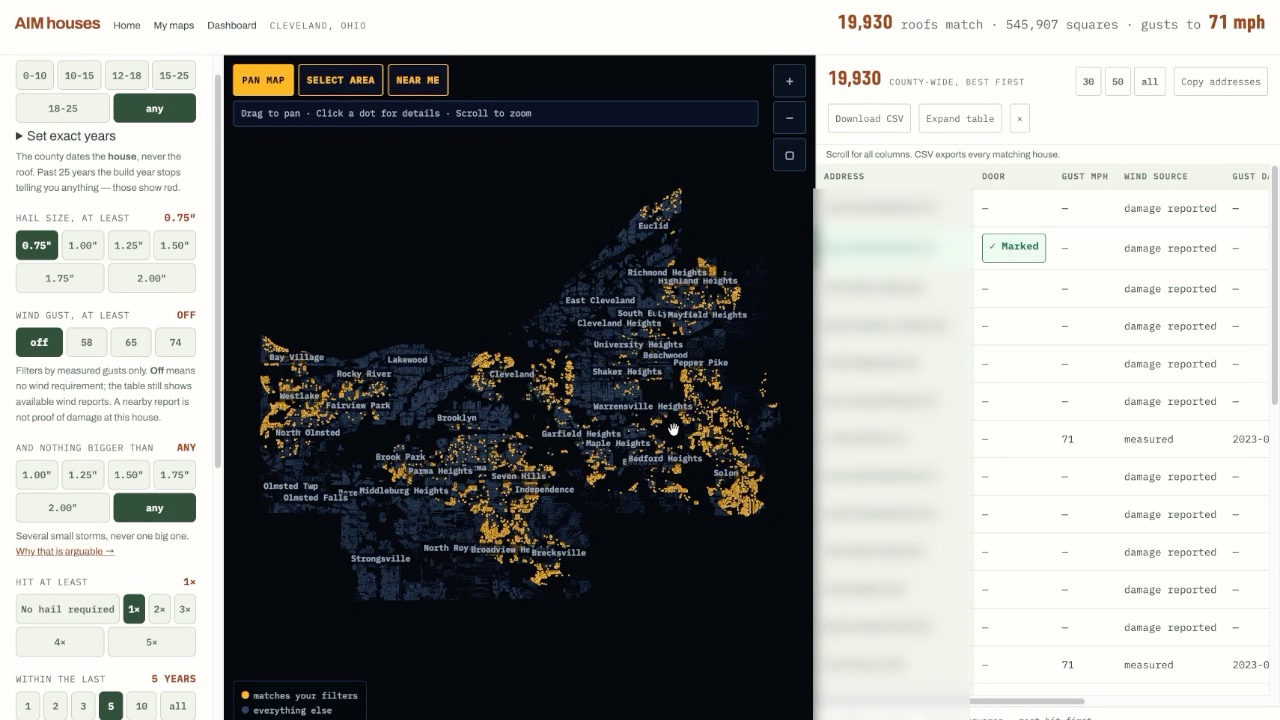
Review available storm and property records, then narrow the territory and prepare the next doors for your crew.
In an activated pilot workspace, record the visit, keep photos with the property and capture findings your office can review.
Use the enabled export to bring saved findings and source records into a branded review packet. Confirm its contents and access before handoff.
For an agreed supplement pilot, AJ reviews the current estimates, photos and policy, prepares the supported result in Xactimate and confirms the package before carrier delivery.
Storm reports describe nearby weather. An inspection records property condition. Modeled sizes remain separate from measurements, and the build year dates the structure.
Your pilot defines access, responsibilities and provider costs. Contact research, outreach and professional review are agreed separately.
Request a 15-minute walkthrough. We’ll confirm coverage, enabled tools and the next step. If there’s a fit, agree on a 30-day pilot with a territory, price and success measures.
We confirm a time by email. A request does not book a meeting, start a subscription or reserve a territory.